
- Login to cPanel.
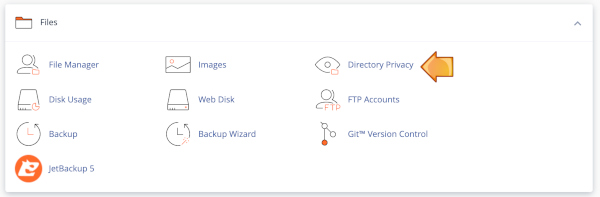
- Locate and click on the "Directory Privacy" icon under the "Files" category.
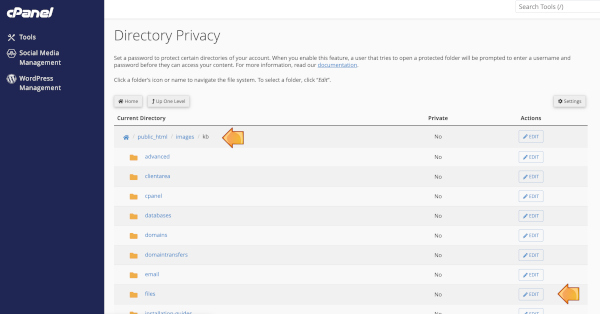
- Browse to the directory then click "edit" on the same line as the directory to which you'd like to add a password,
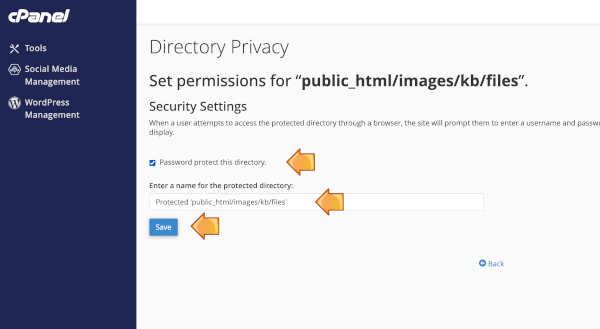
- Tick "password protect this directory" and enter a name (or let this autocomplete) for the protected directory, then click save. Then click "go back"
- Enter authorization information to give a user access to the directory:
- Username - Create a username for the directory.
- Password - Select a password for the user to access the directory.
- Password (Again) - Confirm the user's password.
- Enter authorization information to give a user access to the directory:
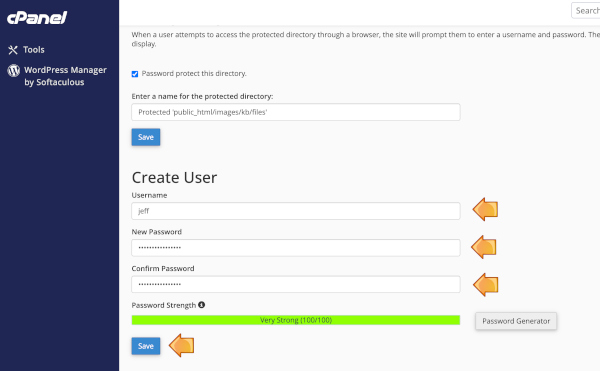
- Click the "Save" button to save the user.